User
Add user
添加用户
Security Notice
Adding a user may expose files and server-side capabilities to another account. Use a strong, unique password, grant only the minimum required permissions, and create accounts only for trusted users. Security incidents resulting from improper user or permission management are the administrator’s responsibility.
安全提醒
添加用户可能会使其他账户获得文件和服务器侧功能的访问能力。请使用强且唯一的密码,仅授予必要的最小权限,并仅为可信用户创建账户。因用户或权限管理不当而导致的安全事件,由管理员用户承担责任。
Username
用户名
Username for login.
登录用户名。
Password
密码
Password for login.
TIP
Password is invalid for guest user.
If you enter an incorrect password 6 times in a row, the current IP will be blocked for 30 minutes and you will not be able to enter your account and password to log in. However, it will not affect other IPs. It will only target IPs that entered 6 incorrect passwords.
- Restarting will immediately remove the 30-minute ban time
登录密码。
TIP
密码对游客是无效的。
如果连续输入6次密码错误会对当前IP封禁30分钟无法输入账号密码登录,但是不会影响其它IP,只针对输入6次密码错误的IP。
- 重启可立刻消除30分钟封禁时间
Base path
基本路径
The root path that users see when he/she log in.
Q: How to allow a user to see multiple folder paths?
A: You can create a new alias storage, add all the paths you need to show the user to the alias, and then point to the newly created alias storage in the user path
Permission
权限
- Can see hides: Can see the hides files and folders
- Access without password: Can access without password
- Add offline download tasks: Add offline download tasks
- ⚠️ Granting a user remote file read/write permissions also grants them the ability to access resources from the server’s network context, including internal network addresses. Only grant this permission to fully trusted users. Internal network access resulting from improper permission assignment is not considered a security vulnerability.
- Mkdir or upload: Can make directory or upload files
- Rename: Can rename files and folders
- Move: Can move files and folders
- Copy: Can copy files and folders
- Delete: Can delete files and folders
- Webdav read: Can read files and folders with webdav
- Webdav manage: Can manage files and folders with webdav
- FTP read: Can read files and folders with FTP
- FTP manage: Can manage files and folders with FTP
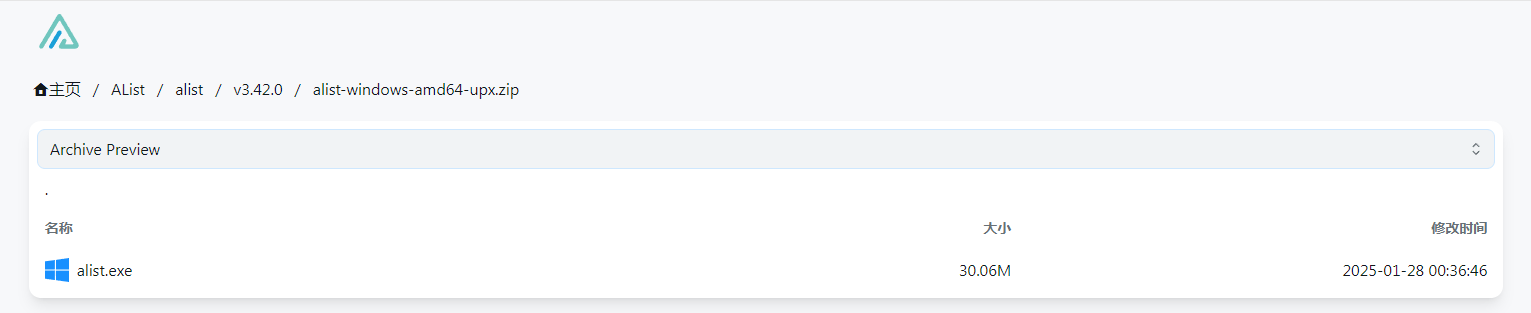
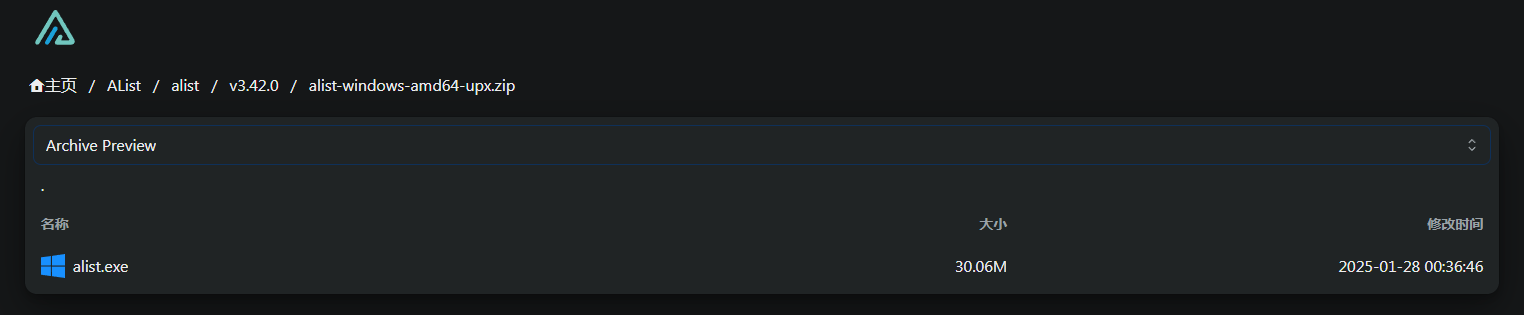
- Read archives: Read the contents of the file in the compressed package
- After turning on this option, compressed package format files will be previewed by default (as shown in the figure below), which will consume some server traffic, but will not download them all.
- If you want to turn off the preferred preview of the compressed format, Manage => Setting => Preview by default when opening archives, this option is turned off, and the preference is the download mode
- Decompress: Decompress compressed package files online
- 可以看到隐藏:可以看到隐藏的文件和文件夹
- 无密码访问:无需密码即可访问
- 添加离线下载任务:添加离线下载任务
- ⚠️ 授予用户远程文件读写权限,同时也赋予了其利用服务器网络环境(包括内部网络地址)访问资源的能力。请仅向完全可信的用户授予此权限。因权限分配不当而导致的内部网络访问,由管理员用户承担责任。
- 创建目录或上传:可以创建目录或上传文件
- 重命名:可以重命名文件和文件夹
- 移动:可以移动文件和文件夹
- 复制:可以复制文件和文件夹
- 删除:可以删除文件和文件夹
- WebDAV 读取:可以使用 WebDAV 读取文件和文件夹
- WebDAV 管理:可以使用 WebDAV 管理文件和文件夹
- FTP 读取:可以使用 FTP 读取文件和文件夹
- FTP 管理:可以使用 FTP 读取文件和文件夹
- 读取压缩文件:读取压缩包内的文件内容
- 打开此选项后,默认会对压缩包格式文件进行预览(如下图所示),会消耗一些服务器流量,但不会全部下载
- 如果要关闭压缩包格式首选预览,后台 => 设置 => 打开压缩包文默认预览,此选项关闭,首选项就是下载模式
- 解压:在线解压压缩包文件
Disabled
停用
After checking, this user will stop using it and cannot log in. The guest account is disabled by default. If you want to enable the guest account, please close it manually.
勾选后将停止使用此用户,无法登陆,游客账户默认停用,如果要启用游客账户请手动关闭停用。
Tips
Tips
- Are you worried that visitors can see all files? Click to see how to set it up here
Guest user is disabled, login please: In order to protect your OpenList security, the guest access permission is closed, if you need guest access, open it yourself- OpenList Manage --> users -->
guest--> Disable uncheck
- OpenList Manage --> users -->
- Question about
Copy/Upload- If you upload (including offline download and upload) large files, or upload a lot of files (hundreds or thousands), it is not recommended to use OpenList to operate, please go to the corresponding network disk official website to operate directly
- Non-admin users can manage offline download, copy, upload and other operations in the background
- OpenList needs to be upgraded to version, and admin can also view the user’s task progress and operations
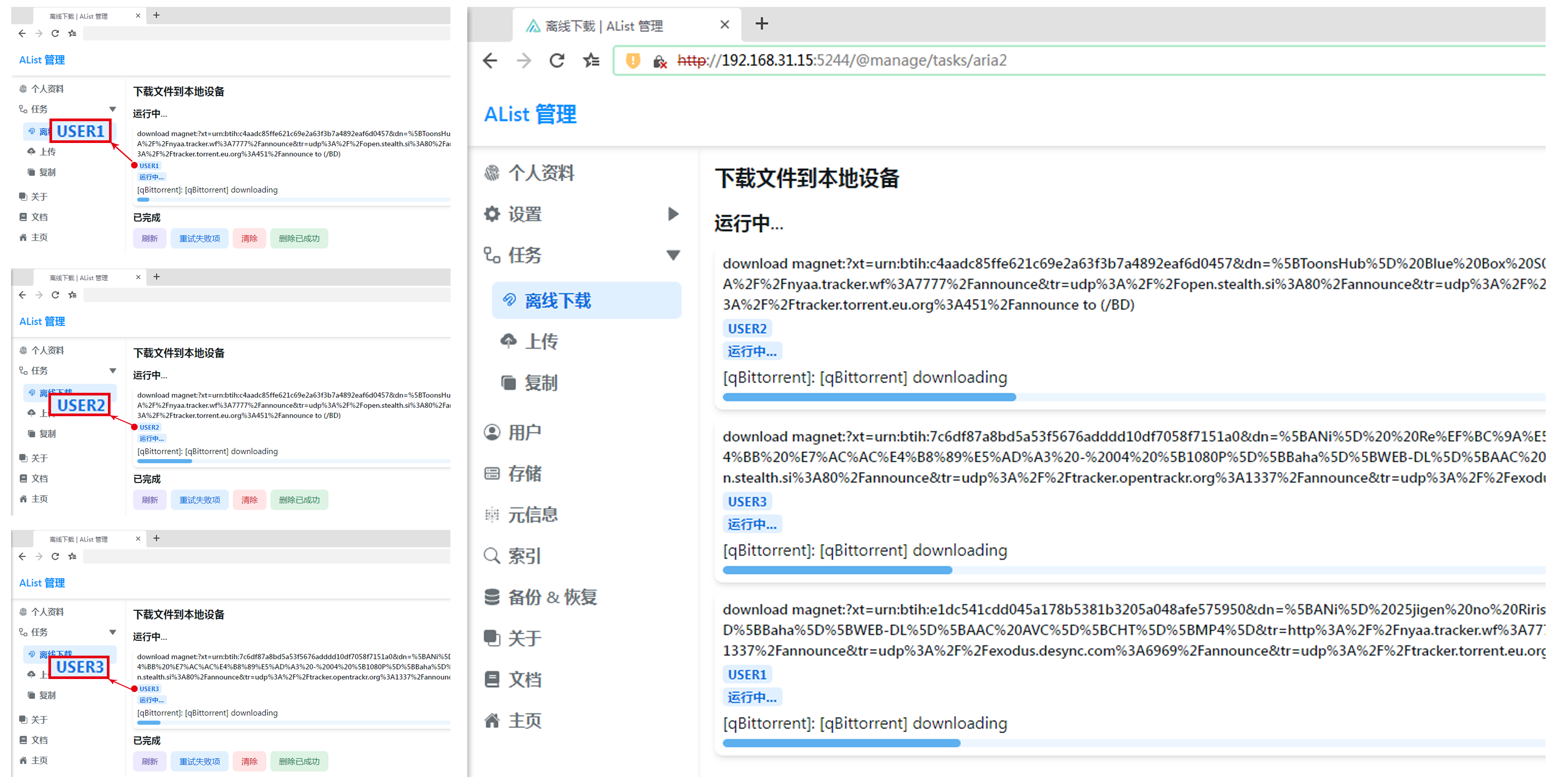
- OpenList needs to be upgraded to version, and admin can also view the user’s task progress and operations
- 你是否在为游客能看到全部文件而发愁?点击查看这里如何设置
Guest user is disabled, login please:为了保护您的 OpenList 安全,游客访问权限关闭了,若需要游客访问自行打开- 后台 --> 用户 -->
guest--> 停用取消勾选
- 后台 --> 用户 -->
- 关于
复制/上传的问题- 如果你上传(含离线下载上传)很大的文件,或者上传文件很多(几百上千),不建议您使用 OpenList 来进行操作,请前往相应的网盘官网直接操作最后
- 非 admin 权限用户在后台管理离线下载、复制、上传等操作
- 需要OpenList升级到版本,同时 admin 也可以查看用户的任务进度以及操作
- 需要OpenList升级到版本,同时 admin 也可以查看用户的任务进度以及操作