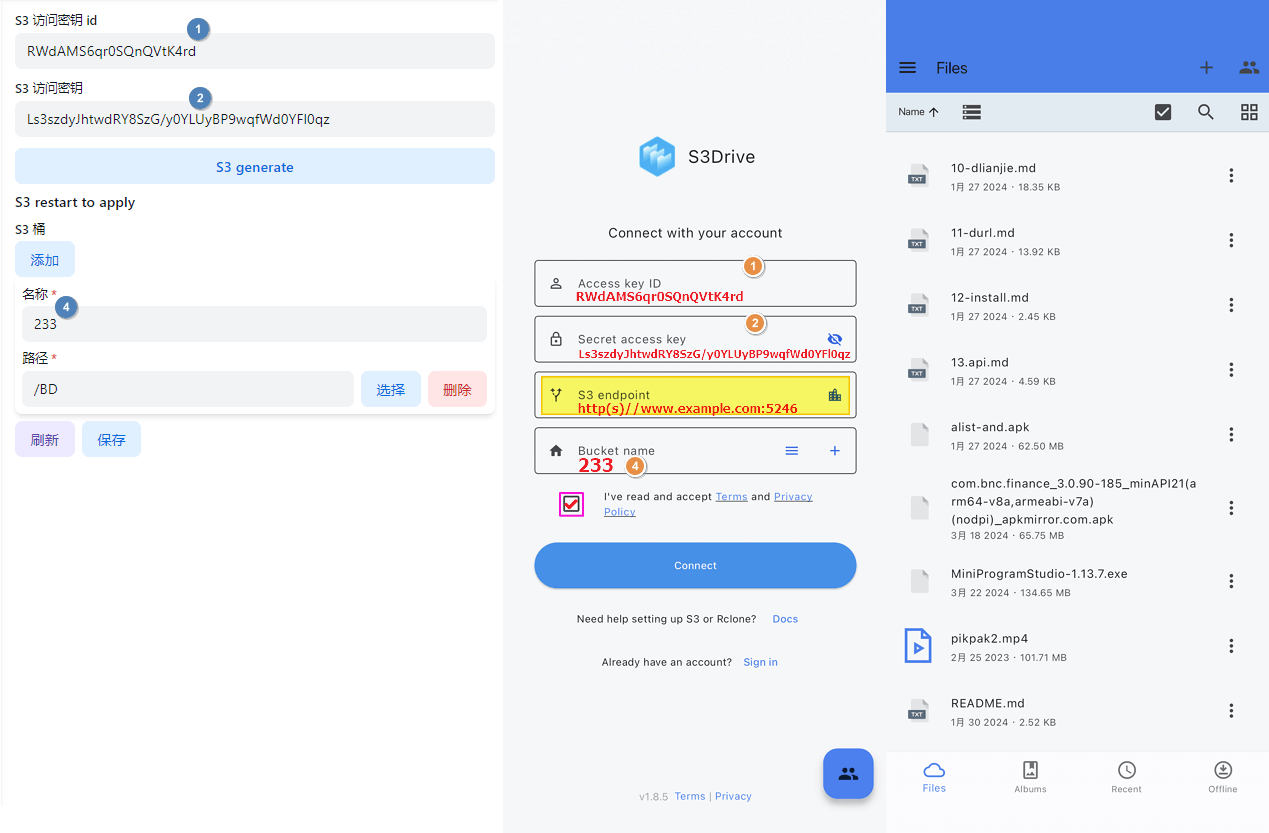
S3
This function is to map OpenList as the S3 protocol. You can use the S3 client, just as OpenList can be mapped to WebDAV.
- It can be the entire OpenList (root directory) or a separate folder
此功能是将 OpenList 映射为 S3 协议,可以使用 S3客户端 使用和查看,就像 OpenList 可以映射为 WebDAV 一样
- 可以是整个OpenList(根目录),也可以是单独某个文件夹
1. How to use
1. 使用方式
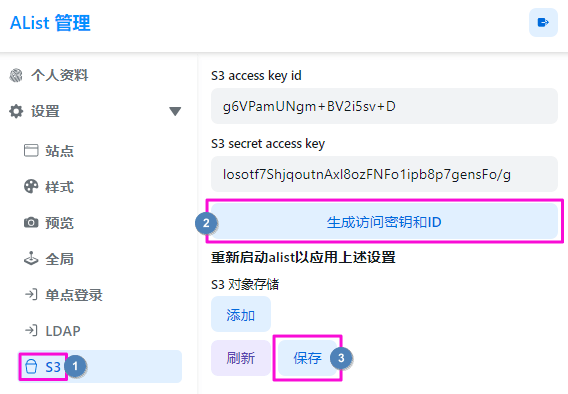
1.1 If it is for the first time, first open OpenList Manage to generate S3 access key id and S3 secret access key to save, then stop OpenList, open the configuration file to enable the S3 service
- If you update ID and secrets in the future, update and save, and then restart OpenList to take effect
1.1 如果是第一次使用,先打开OpenList后台生成一下 访问客户端ID 和 访问秘钥 保存,然后停止 OpenList,打开配置文件启用 S3 服务
- 如果你后续更新访问ID和秘钥,更新保存,再重启OpenList才可以生效
1.2 Open the Configuration File, change the enable field totrue to enable S3 service
1.2 打开 配置文件,将enable字段改成true启用S3服务
  "s3": {
    "enable": true,
    "port": 5246,
    "ssl": false
  }
1.3 After the first two steps are completed, Start OpenList, open the Manage s3 configuration page, and choose to store a certain path as an object to store the barrel
- On the left is the name of the storage bucket displayed outside, and the right is the existing list directory path of OpenList. If you want to map the entire root directory, you can choose the
rootpath in the list- There may be errors in manual filling. It is recommended to use the
Choosebutton on the right side for selection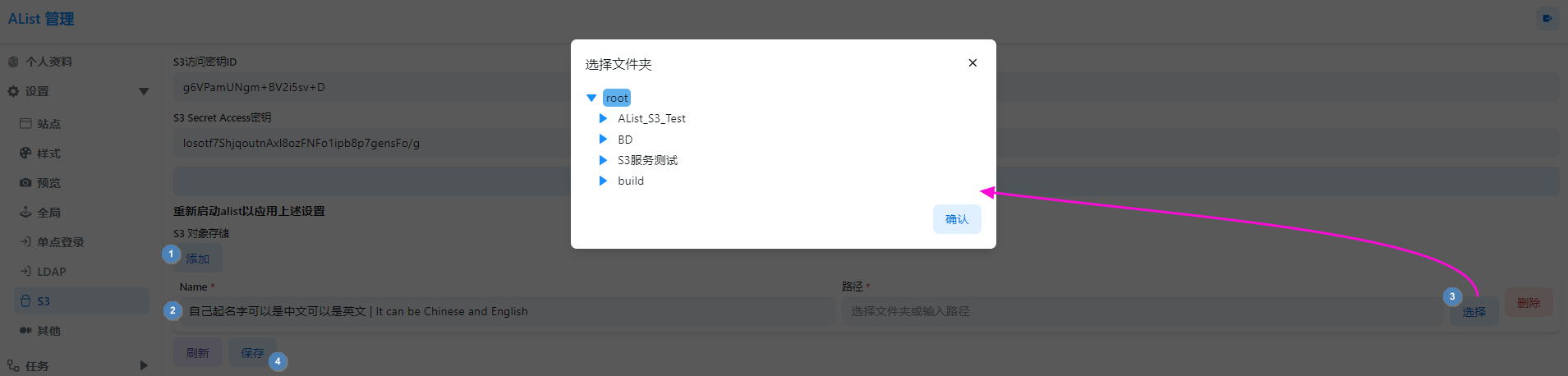
- There may be errors in manual filling. It is recommended to use the
1.3 前两步操作完成后启动 OpenList,继续进入后台S3配置页面,选择自己想将某路径映射为对象存储存储桶
- 左侧是对外显示的存储桶名字,右侧是 OpenList 已有的列表目录路径,如果想将整个根目录全部映射出去可以可以选择列表中的
root路径- 手动填写可能会出现错误,建议使用右侧
选择按钮进行选择
- 手动填写可能会出现错误,建议使用右侧
2. Use instructions
2. 使用说明
- For ordinary object downloads, the transfer mode depends on the storage and proxy settings:
- If proxying is not required and the storage provides a direct download URL, OpenList may return an HTTP 302 redirect to the storage provider.
- If Web Proxy is enabled for the target storage, or another driver or proxy rule requires proxying, OpenList serves the response body through the local server.
- A direct redirect saves OpenList bandwidth, but the S3 client must follow a cross-host redirect and accept the provider URL’s access requirements. Server relay uses OpenList bandwidth and is a safer starting point for clients that cannot use the direct provider redirect. For repository tools such as restic or rustic, enable Web Proxy unless direct mode has been verified.
- Currently only supports the use of client operations
List,get,put,del, other operations are not supported yet - Currently only supports the use of the
S3 Clientto operate, Mount S3 to theOpenList Object Storagetemporarily unavailable
- 对于普通对象下载,传输方式取决于存储和代理设置:
- 如果不需要代理,并且存储提供了直链下载地址,OpenList 可能返回 HTTP 302,将客户端重定向到存储提供商。
- 如果为目标存储启用了 Web 代理,或者驱动及其它代理规则要求使用代理,OpenList 会通过本地服务器中转响应内容。
- 直链重定向可以节省 OpenList 的带宽,但 S3 客户端必须支持跨域名重定向,并满足存储提供商下载地址的访问要求。服务器中转会占用 OpenList 的带宽,但对于无法使用存储直链重定向的客户端是更稳妥的起点。使用 restic 或 rustic 等仓库工具时,除非已经验证直链模式可用,否则建议启用 Web 代理。
- 目前仅支持使用客户端
获取列表、下载、上传、删除操作,其它操作暂未支持 - 目前仅支持使用
S3客户端来进行操作,挂载到OpenList对象存储暂时无法使用
3. S3 client recommendation/fill in sample
3. S3 客户端推荐/填写示例
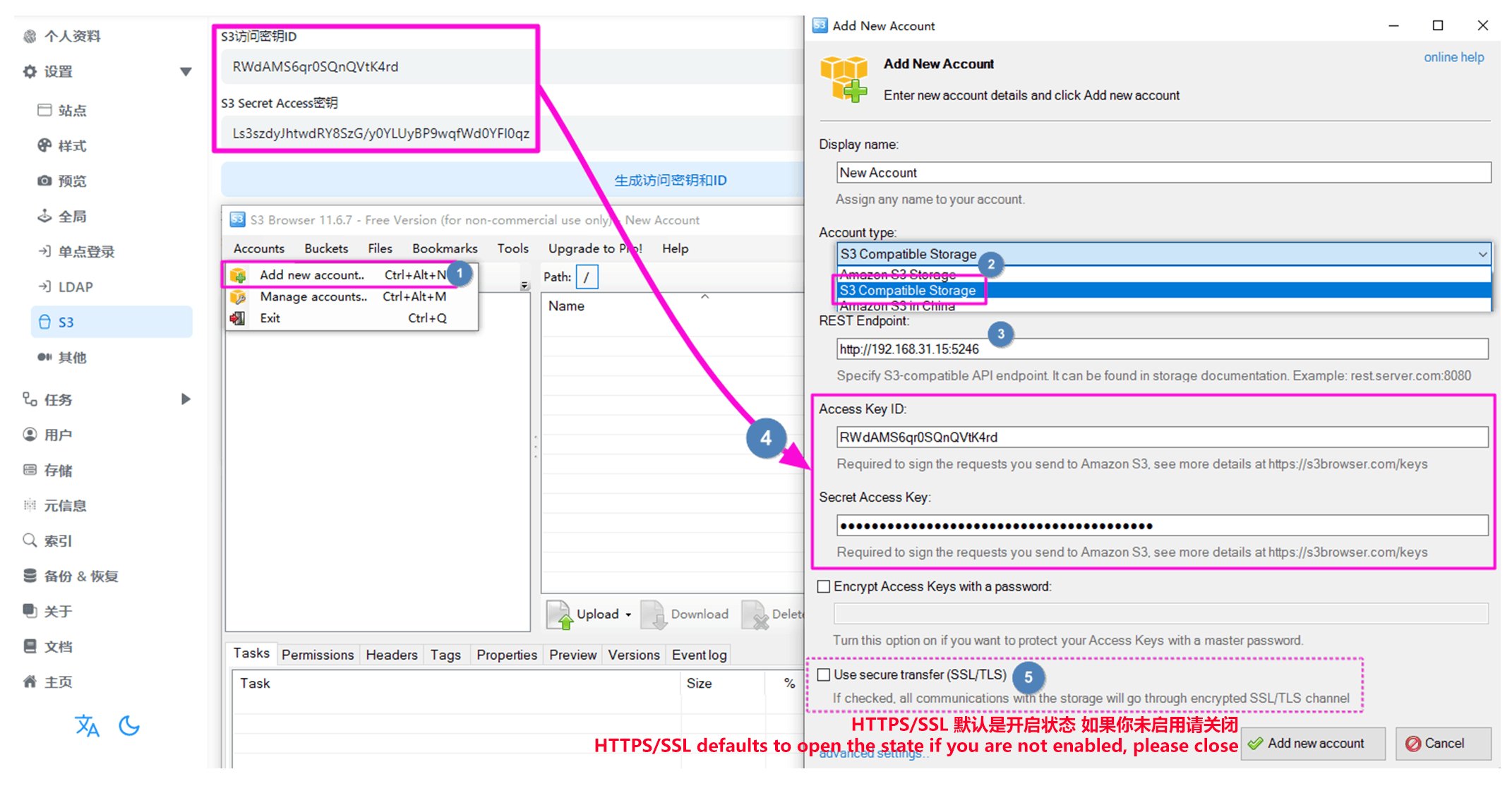
3.1. S3 Browser
S3 Browser:https://s3browser.com
3.2. S3Drive